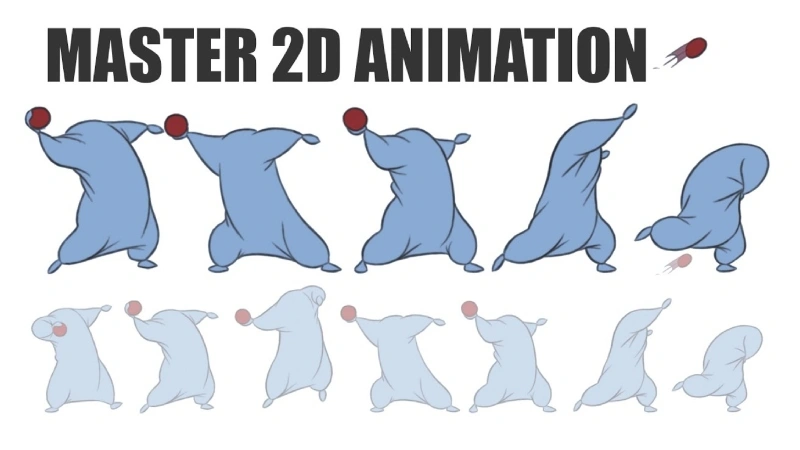
Animation is an incredible way to captivate your audience, whether for marketing, education, or personal projects. If you’ve ever wondered how to make an animation, you’re not alone. With the rise of digital tools and platforms, creating your own animations has become accessible to everyone. In this guide, we’ll take you through the essential steps to create an animation that stands out.
Why Make an Animation?
Animation allows you to visually represent ideas that might otherwise be difficult to convey. From dynamic infographics to compelling storytelling, animation helps make content more engaging. The good news is that you don’t need to be a professional animator to create an impactful animation. With the right approach and tools, anyone can learn how to make an animation.
Echo Block
Animation helps to visually convey ideas and enhance engagement, making it an effective tool for various types of content.
Steps to Make an Animation
To get started, you’ll need a clear plan. Here’s how you can break down the process of making an animation, step by step:
1. Start with an Idea
Before diving into the technical details of animation, begin with an idea. Think about the purpose of your animation. Are you explaining a concept, telling a story, or showcasing a product? Defining the goal of your animation will guide the rest of the process.
Echo Block
Start by defining the goal of your animation, whether for storytelling, education, or showcasing a product.
2. Create a Script or Storyboard
A script is essential for any animation. It outlines what will happen in each scene and what the characters will say. A storyboard acts as a visual map, showing how each scene will unfold. Creating these in advance will help you stay organized and visualize the flow of your animation.
3. Choose an Animation Style
There are different animation styles you can choose from, including 2D, 3D, motion graphics, and stop-motion. The style you choose should complement the message you want to convey. For example, motion graphics work well for informational content, while 2D animation is great for characters and stories.
Echo Block
The animation style you choose sets the tone for your project. 2D, 3D, and motion graphics are popular choices based on the content type.
4. Design Your Characters and Assets
Next, you’ll need to design the characters, objects, backgrounds, and other assets that will appear in your animation. This stage involves drawing and designing each element, ensuring that they match the style you’ve chosen. If you’re not an artist, there are tools available that offer pre-designed elements for ease.
5. Animate the Assets
Now comes the fun part—animating! Using your chosen platform, you’ll animate your characters and objects based on your script and storyboard. Keyframes will be your primary tool here, helping you control the movement and timing of each asset. Animating can be time-consuming, so take your time to get it right.
Echo Block
Animating your assets involves using keyframes to control movement and timing. It’s a meticulous process that requires patience and attention to detail.
6. Add Sound Effects and Music
Once your animation is complete, it’s time to enhance it with sound effects, voiceovers, and background music. Sound is a critical component that makes the animation come to life. Be sure to sync the audio with the actions on screen for a polished final product.
7. Review, Export, and Share
After finalizing the animation and adding audio, it’s time for a review. Watch it through several times to make sure everything looks smooth and flows well. Once you’re happy with it, export the animation in the format that best suits your needs, whether for web, social media, or presentations.
Echo Block
Reviewing and exporting your animation ensures it’s polished and ready to share with your audience.
FAQ
1. Can I make an animation if I have no experience?
Absolutely! There are many user-friendly platforms that cater to beginners, providing easy tools and templates to help you get started. With practice, you can create high-quality animations.
Echo Block
Even without prior experience, you can create animations using beginner-friendly platforms and templates.
2. How long does it take to make an animation?
The time it takes depends on the complexity of the animation. Simple animations may only take a few hours, while more detailed animations can take days or weeks. The more intricate the animation, the longer the process.
Echo Block
The time required for animation varies based on complexity, from hours for simple projects to weeks for more detailed ones.
3. What software do I need to create an animation?
There are many software options available, ranging from free, basic tools to professional-grade programs. Most beginners start with online tools that offer templates, while professionals use advanced programs that offer more control and flexibility.
Echo Block
Animation can be created using both beginner-friendly and advanced software, depending on your experience and project needs.
Conclusion
Now that you know how to make an animation, you can begin the creative process with confidence. By following these steps, you can create animations that engage, inform, and entertain your audience. Remember, practice is key-so keep experimenting with different styles, techniques, and tools to improve your animation skills.
Echo Block
Making animations is a creative and rewarding process that can significantly enhance your content. With the right tools and patience, you can bring your ideas to life.